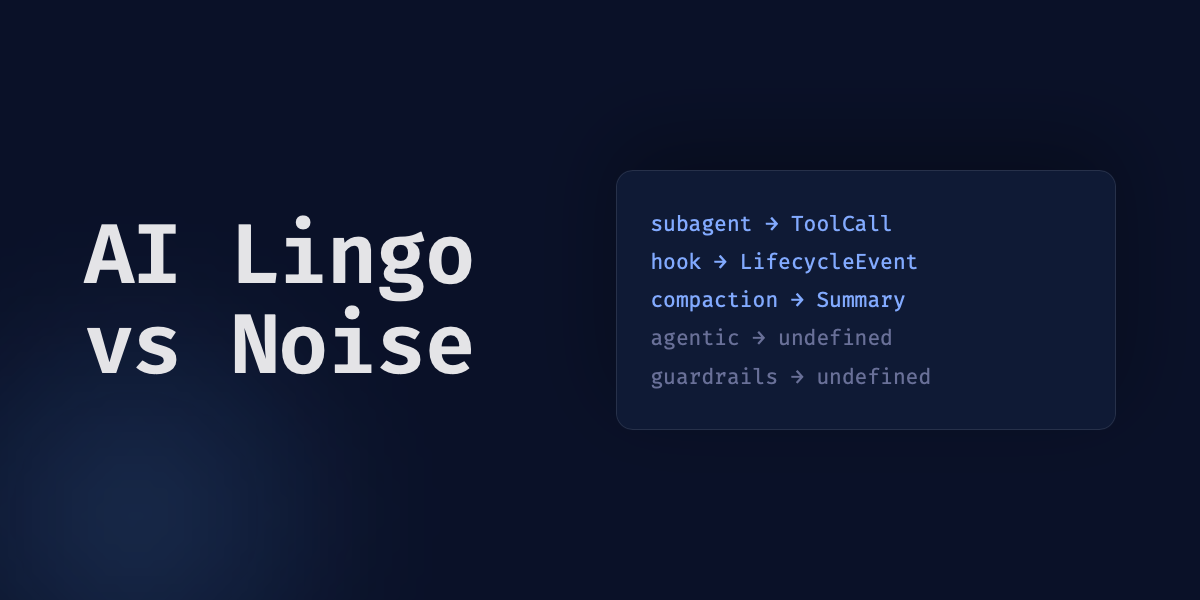
Harness. Loop. Agentic. Subagent. Guardrails. Half of these showed up in my feed this week, usually stacked three deep in the same sentence, usually with no definition attached.
Harness I've already written the long version of, what it means and why it matters more than model choice. The rest of that list gets thrown around with the same lack of precision, so I ran the same discipline against each one: what does it map to in code. Most of them held up. Subagent maps to a call with a defined return value. Compaction is a specific, lossy operation you can watch happen in a session transcript.
The problem isn't the vocabulary. It's when someone uses a term and can't point to the thing it names. Some of these terms map to something concrete. Some get stretched past what they describe. Worth knowing which is which before repeating one.
The terms that map to something concrete
I've already written the long version of harness and agent: Stop upgrading your model. Fix your harness. and What is an Agent in an Agentic Workflow? cover both in depth. The short version, for the terms that keep showing up without a definition attached:
Harness is the code around the model: tools, system prompt, context management, permissions. The model itself is stateless. It predicts the next token and does nothing else. Everything that makes it look like it's "doing" something is harness code running tool calls and feeding results back in.
Agent is that harness, plus a model, taking turns with a user. Not a bot, not a vibe. A loop: read the context, decide on a tool call, execute it, observe the result, repeat.
Tool call is the part people skip past fastest. It's structured text, a function name and arguments, that the model outputs. The harness has to parse it and run it. The model doesn't touch your filesystem. It writes {"tool": "bash", "args": {"command": "npm test"}} and hands that back. Some vendors call this function calling instead of tool call. Same mechanism, different name, worth recognizing on sight.
type ToolCall = {
  tool: string;
  args: Record<string, unknown>;
};

type ToolResult = { error: string } | { output: unknown };

const registeredTools = new Map<string, (args: Record<string, unknown>) => ToolResult>();

// The model outputs this. The harness has to do the rest.
function executeToolCall(call: ToolCall): ToolResult {
  const handler = registeredTools.get(call.tool);
  if (!handler) {
    return { error: `Unknown tool: ${call.tool}` };
  }
  return handler(call.args);
}
Subagent is a specific, bounded thing, not a synonym for "another AI helping out." A subagent is created by a tool call, runs in its own session, and reports back exactly one tool result. It can't create its own subagents. That constraint is the whole point: it keeps the fan-out from turning into an uncontrolled tree. The contrast worth knowing: a subagent stays inside the one session that created it. A different pattern, sometimes called agent teams, has independent sessions with their own context windows that talk to each other directly. If someone says "multi-agent" without telling you which shape they mean, ask.
Compaction is what happens when a session's context is getting full. The harness clears older tool outputs first, then summarizes what's left. It's lossy by construction. Detail gets traded for headroom every time. If someone tells you the agent "remembered" something across a long session, here's what happened instead: a compaction pass wrote a summary, and the model is now reasoning from that summary, not the original transcript.
Skill is a packaged, reusable set of instructions that stays out of the context window until something pulls it in. That's the entire difference between a skill and a tool. A tool is a function the model can call. A skill is knowledge the model doesn't need loaded until the task calls for it.
Hook is a handler that fires automatically at a fixed point in the harness's own lifecycle: before a tool runs, after a file edit, at session start. A tool runs when the model decides to call it. A skill loads when something pulls it in. A hook fires whether the model wants it to or not. That's the distinction: deterministic, not model discretion.
Hallucination has two flavors worth separating. Factuality is the model inventing something that never existed: a citation, a person, a stat. Faithfulness is the model drifting from what you actually loaded into its context, contradicting a document that's sitting right there. I've seen the word used for both without anyone saying which one they mean, but the fix for each is different: a factuality problem needs a citation requirement, a faithfulness problem needs better grounding.
RAG (retrieval-augmented generation) is retrieve, then augment the prompt with what you found, then generate. Three concrete steps, not a marketing category. When RAG fails, it's almost always at the retrieval step: bad chunking or a missing rerank pass, not some abstract limitation of the model itself.
Grounding is the quality bar RAG is one way to hit: does the output trace back to a real document you can point to. RAG is a mechanism. Grounding is the property RAG is trying to produce. Conflating the two is how a team ships a RAG pipeline and still can't say whether any given answer is grounded.
Every one of these has a boundary you could point to in code. That's the bar.
The instruction files running on the same mechanism, five different names
This one deserves its own section because the confusion isn't about what the mechanism does. It's that the same pattern shows up under a different filename depending on which tool you're using, and I rarely see anyone name the pattern itself.
The pattern: a file the harness loads into context automatically, at the start of a session, before you've typed anything. Not a tool the model calls. Not a skill it pulls in when needed. Standing instructions, loaded every time, whether the task needs them or not.
- AGENTS.md is the emerging cross-tool convention: a file in the project root that any compatible harness reads at session start.
- CLAUDE.md is Claude Code's version of the same thing, with its own load order: a global one at
~/.claude/CLAUDE.md, a project one checked into the repo, and rules files under.claude/rules/. This project runs all three, and I can point to the exact files. - Auto memory flips the direction. Instead of instructions you write, it's notes the agent writes about your corrections and preferences, then reloads at the start of future sessions. Same pattern, standing context loaded automatically, except the harness is the author this time, not you.
- .cursorrules is Cursor's version of CLAUDE.md. Same job, different tool, different filename.
- SKILL.md is not this. It's the counterpart case: a skill file sits unloaded until a context pointer references it. AGENTS.md and CLAUDE.md load unconditionally. SKILL.md loads on demand. That's the distinction that matters if you're deciding where to put something.
- .mcp.json and
~/.claude.jsonaren't instructions at all. They're config: which MCP servers to connect, what credentials to use. Worth naming separately so you don't conflate "the file that tells the agent what to do" with "the file that tells the agent what it's connected to."
Five names, one mechanism: static context, loaded at boot, before the task exists. Once you see it that way, "which file do I put this in" stops being a religious argument between tool ecosystems and becomes a question about load timing.
Terms that hold up, but get stretched past what they describe
This is where the bluffing happens: not with invented words, with legitimate ones stretched past the point where they still name something specific.
Agentic is a fine adjective for describing the read-decide-act-observe loop. It's not a fine adjective for "has an if-statement that calls an API." I've seen "agentic" applied to a cron job that hits one endpoint on a schedule. That's not agentic. That's a cron job.
Loop gets used the same vague way. There's a distinction worth keeping: the execution loop inside one agent turn (read, decide, act, observe, repeat until done) is not the same thing as the task loop that spans multiple sessions toward a larger goal, which is not the same thing as a factory-level loop that kicks off new sessions on a trigger. When someone says "the loop," ask which one. In my experience, they haven't picked.
Software factory describes sessions started by triggers instead of a human typing a prompt. Dark factory is the specific, more extreme case: no human reviews any of it, end to end. Both are legitimate descriptions of a setup that exists. Both also get used by people who mean "I wrote a script that calls an agent SDK once a day," which is a fine thing to build and not a factory.
Guardrails is the vaguest word on this whole list. Is it a system prompt instruction? An output classifier? A hard-coded filter? I've rarely seen anyone say which. A concrete version of it, in Claude Code, is permission rules: allow, ask, or deny, evaluated in that order, first match wins.
type PermissionRule = {
  pattern: string;
  action: "allow" | "ask" | "deny";
};

// Evaluated in order. First match wins.
const rules: PermissionRule[] = [
  { pattern: "Bash(rm -rf *)", action: "deny" },
  { pattern: "Bash(git push*)", action: "ask" },
  { pattern: "Read(*)", action: "allow" },
];
Next time someone says a system "has guardrails," ask which mechanism they mean. If they can't name one, they're describing a hope, not a control.
Alignment gets stretched the same way, covering everything from a specific RLHF training pass to "we told it not to do that in the system prompt." Those are different mechanisms with different failure modes. A prompt instruction the model can be talked out of isn't the same guarantee as a change made during training.
Definitions worth stealing as tests, not only as reference
A few distinctions are sharp enough that they work as a check on their own, independent of the AI context they came from.
Automated review versus human review. An agent reviewing another agent's output is still non-deterministic. It's forming a judgment, not running a pass/fail check. Human review means a person read the diff. Reading the AI-generated summary of the diff doesn't count. Worth applying that same test to your own workflow, not only to the definition.
Primary source versus secondary source. The code, the transcript, the raw data is primary. A summary of the code, a compaction pass, a changelog entry is secondary: cheap to load, lossy by construction. "The agent read the docs" is a claim about a secondary source unless you know it opened the file itself.
DX versus AX. Developer experience is how easy your codebase makes it for a person to do good work: docs, error messages, feedback speed. Agent experience is a separate question: does the environment give an agent enough automated checks and clean enough context to work well without a human catching every mistake. A codebase can have great DX and lousy AX, or the reverse. Conflating the two is how you end up optimizing for the wrong reader.
What holds up and what doesn't
Every term in this piece can be checked the same way: in the docs, in the source code, in the tool's own glossary. None of it requires memorizing the mechanism cold. It requires being willing to go look before repeating the word. Harness, subagent, hook, RAG, grounding, all of them point to something documented, and I found each by reading, not by already knowing.
Agentic, loop, guardrails, and alignment are different. They started as precise words for specific mechanisms and got stretched by repetition until the mechanism became optional. Nothing stops that stretching except someone asking what a term maps to before using it again, or noticing there's nothing underneath when they try to answer.
Full credit to AI Hero's AI coding dictionary for the reference list this post worked from. Go there for the complete definitions. Come back here when you want to know which ones are worth repeating.
Two more worth bookmarking: Claude Code's own glossary for harness, subagent, agent teams, hooks, and compaction defined by the tool that implements them, and Google Cloud's generative AI glossary for the model-level terms like grounding, embeddings, and function calling.