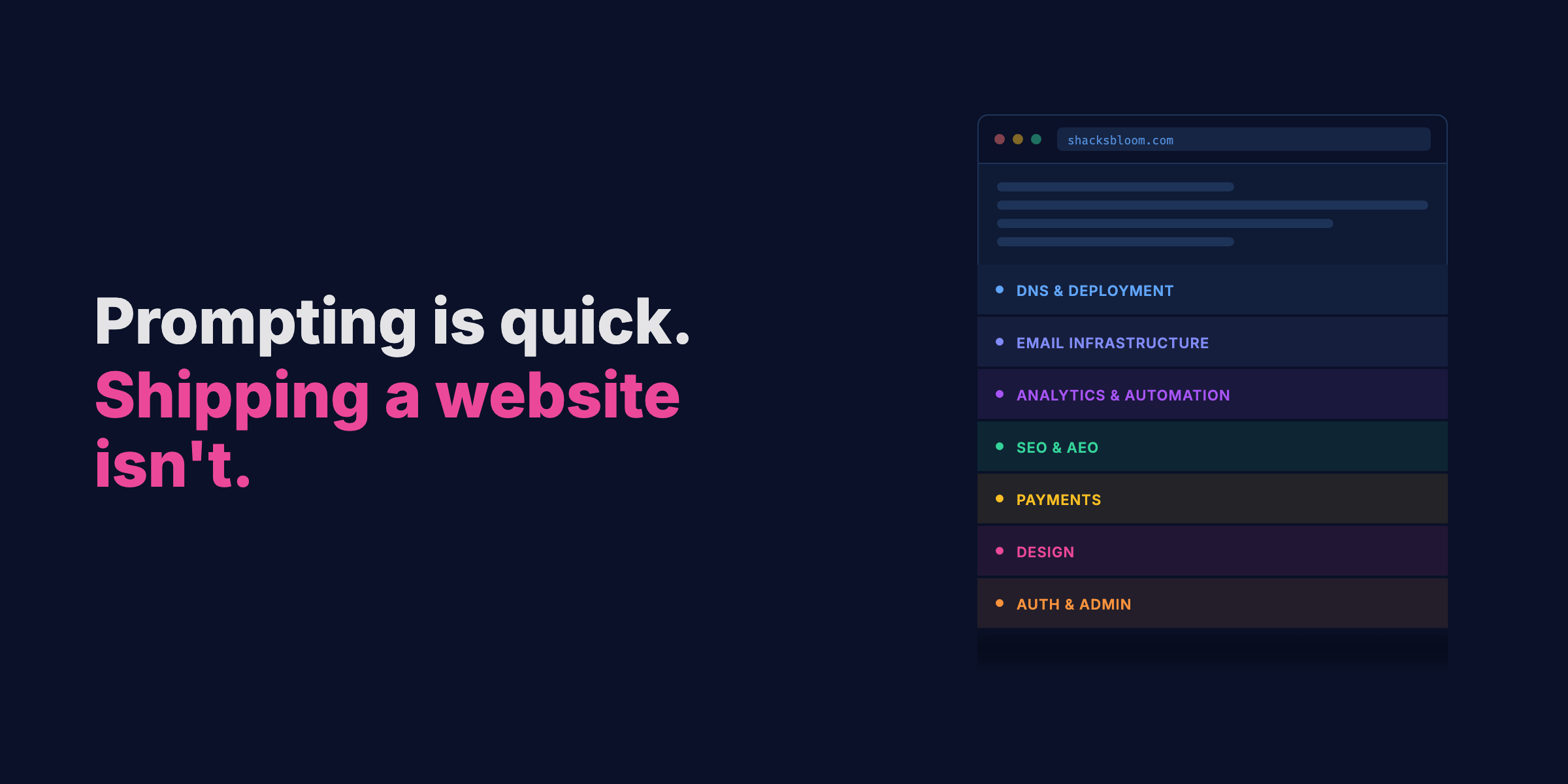
Vibe coding a site is fast. Both of my production sites were built with Claude. What took the rest of the time was everything underneath it: the DNS, email deliverability, analytics, SEO that works for humans and AI assistants, Core Web Vitals, payments, design, automation. None of it shows up in the prompt that built the homepage.
This isn't a critique. I'm all for it AI assisted building. The question is what comes next and what you do after the site looks good.
The two sites
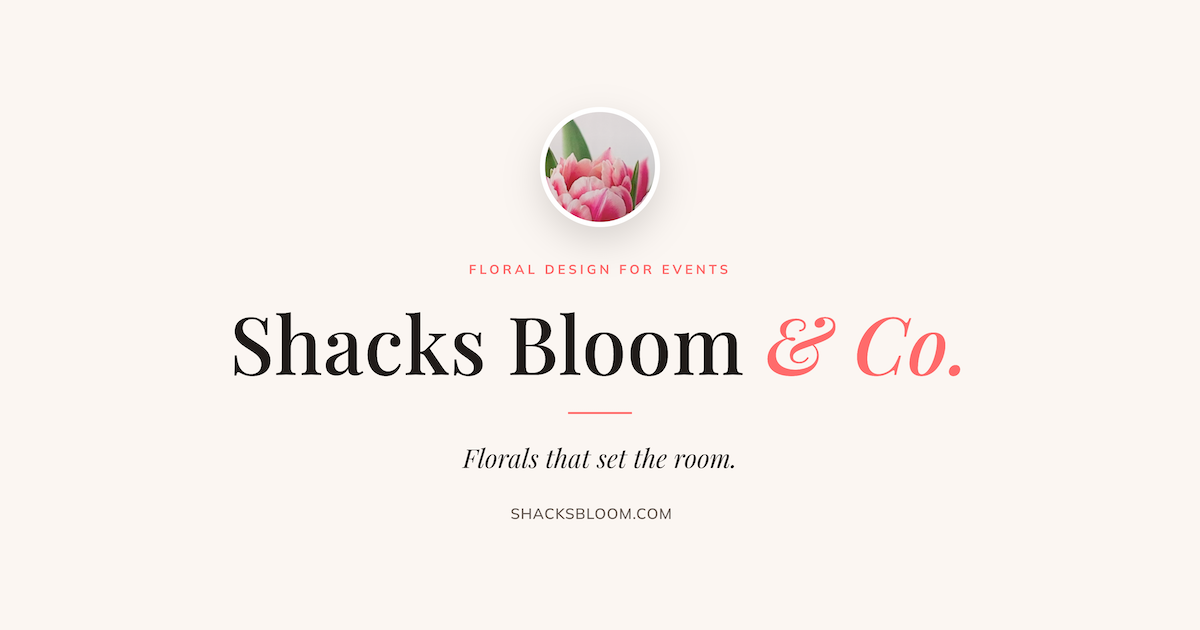
Shacksbloom.com runs a florist business. Nine public pages (Home, Services, Portfolio, About, Inquire, Pay, Privacy, Terms, and a standalone Instagram page) plus an admin portal behind auth. The visible part is the easy part.
Lukestahl.io is this site. Astro 6 with Notion as the CMS, deployed to GitHub Pages. Blog, project listings, an AI models guide that checks for model updates every Monday and opens a PR when it finds them, a monthly newsletter built from scratch. Started with plain HTML, CSS, and JS, then migrated to Astro and React once the site needed more structure. Both of these sites are in production.
Tech stack decisions
Most of the time, these decisions happen before the first prompt, although sometimes a good conversation between you and your agent can help in the decision making.
For shacksbloom.com: Vite + Vercel. React (Single Page Application) SPA with build-time prerendering. Each deploy runs a prerender script that generates static HTML per route. No running SSR server, just HTML snapshots Vercel serves directly. Two people touch it and neither needs a CMS yet. I did however connect this site to Builder.io’s Fusion product for visual editing. This is best for the non-technical team member who needs to make edits and submit via PR to GitHub.
For lukestahl.io: started with plain HTML, CSS, and JS, then migrated to Astro once the site needed real structure. Astro handles static page building; React handles interactive components like Shadcn UI. Posts live in Notion, sync at build time, render to static HTML. Adding a post is a Notion edit and a deploy. The stack should fit how you work, not the other way around. I prefer Notion because it’s where I like to write content via their editor rather than within a CMS. I don’t have team members that I require a CMS.
Stack mismatches show up later in the build. A framework that defaults to SSR when you're serving mostly static content adds complexity everywhere. Don't let a prompt make that call.
Design: I'm not a designer
Both sites needed design work. Before Claude Design existed, I was having Claude generate self-contained HTML files with inline styles, opening them in a browser, screenshotting what worked, and feeding that context back into the next session. I also used the Excalidraw MCP to export those HTML files into hand-drawn style visuals. More character than a polished AI mockup, and a useful middle ground between wireframe and finished design.
Claude Design changed the workflow considerably. Where I was stitching together HTML mocks, browser screenshots, and context drops, now I iterate in a design-system-aware tool. The output lands closer to finished when you bring intent to it. The "AI slop" label is becoming something people throw around to sound above it, or maybe because they're nervous about what it means for designers. I understand both positions. Not being a designer with access to these tools means I can ship sites that look like a designer worked on them. Nobody one-shots a design and ships it. The output on pass one is a starting point. Push back on defaults, redirect what's off, keep going. The output gets better every pass. That's the whole job, same as it's always been.
Excalidraw is worth knowing regardless of the AI workflow. It handles everything from rough architecture sketches to clean professional diagrams, and the hand-drawn aesthetic is a deliberate choice you can switch on or off. For visual thinking, system diagrams, and design assets that need a bit of character, it's one of the better tools out there. The MCP integration is a bonus: take an HTML mock, run it through, and you get a hand-drawn version that doesn't look like it came straight out of an AI tool.
DNS and deployment
The DNS chain for shacksbloom.com runs GoDaddy → Cloudflare → Vercel. Vercel terminates SSL, which means every Cloudflare record has to stay on DNS-only mode. Flip one record to orange-cloud and HTTPS breaks. That detail isn't documented anywhere visible. You find it by breaking things.
Cloudflare Email Routing came free with the domain. jackie@shacksbloom.com and hello@shacksbloom.com forward to Gmail without a Google Workspace account. hello@ is a catch-all. Small thing that eliminates a recurring cost.
Lukestahl.io is simpler at the DNS layer. GitHub Pages handles SSL and deployment. The complexity lives in the build pipeline.
Email infrastructure
Both sites use Resend for transactional email. Resend's free tier allows one verified domain per account, so shacksbloom.com and lukestahl.io each have their own. DKIM on each domain. SPF on the send subdomain. A p=none DMARC record at minimum: skip it and sending works fine for weeks, then Gmail starts routing inquiry replies to spam. No error, no warning. It just stops working.
The shacksbloom.com inquiry handler is a Vercel function at api/inquire.ts. It validates required fields, silently drops honeypot-flagged submissions, sends Jackie a styled HTML email with Reply-To set to the person inquiring, and fires an auto-reply. The API key is scoped to sending on shacksbloom.com only.
Lukestahl.io has a monthly newsletter. Not Mailchimp, not Beehiiv. Custom-built. Resend handles delivery. The list, scheduling, and template rendering are all code I own: no subscriber caps, no platform fees, templates that match the site exactly. It's one more thing to maintain, and it runs exactly how I want it to.
Analytics and automation
Both sites run PostHog. For shacksbloom.com, it's proxied through /ingest/* so ad blockers don't drop the events. Five explicit events, autocapture off, session replay scoped to the inquiry flow so I'm not burning the free tier watching generic page views.
For lukestahl.io, same setup without the proxy. Analytics feed content decisions: which posts get read, where people land, what converts to newsletter signups.
Automated GitHub Actions handle monitoring on lukestahl.io:
- A link checker that emails me via Resend when internal or external links break
- A Core Web Vitals monitor that opens a GitHub issue when LCP, CLS, or INP regress on tracked pages
- An AI models guide updater that pulls Anthropic and OpenAI release feeds, runs a diff through a prompt, pushes a branch, and opens a PR when it finds changes
For shacksbloom.com, a GitHub Actions workflow runs every Monday, queries PostHog for the prior week, and emails a summary to Jackie and me via Resend.
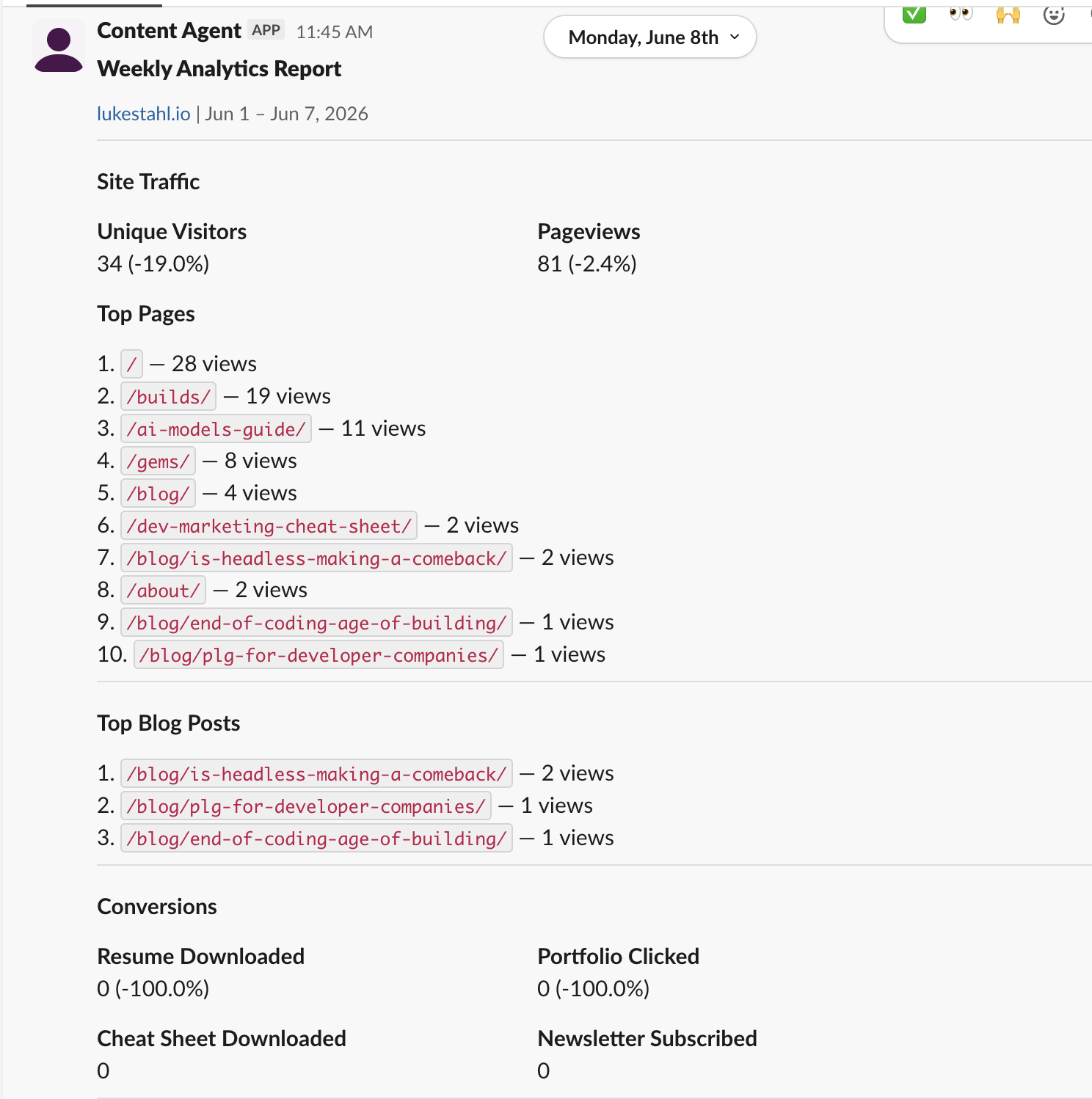
Slack integrations are connected via PostHog workflows for lukestahl.io and scheduled sends on Monday via a Content Agent. This helps monitor changes week over week if I want a quick report vs going into PostHog’s dashboard. PostHog’s MCP also helps create custom dashboards that I highly recommend.
SEO and AEO
Core Web Vitals affect ranking directly. Let LCP, CLS, or INP regress on mobile and organic traffic follows. The GitHub Actions monitor surfaces regressions before they add up to a traffic drop. These GitHub Actions also run weekly with a GitHub action for deployment to lukestahl.io/seo/.
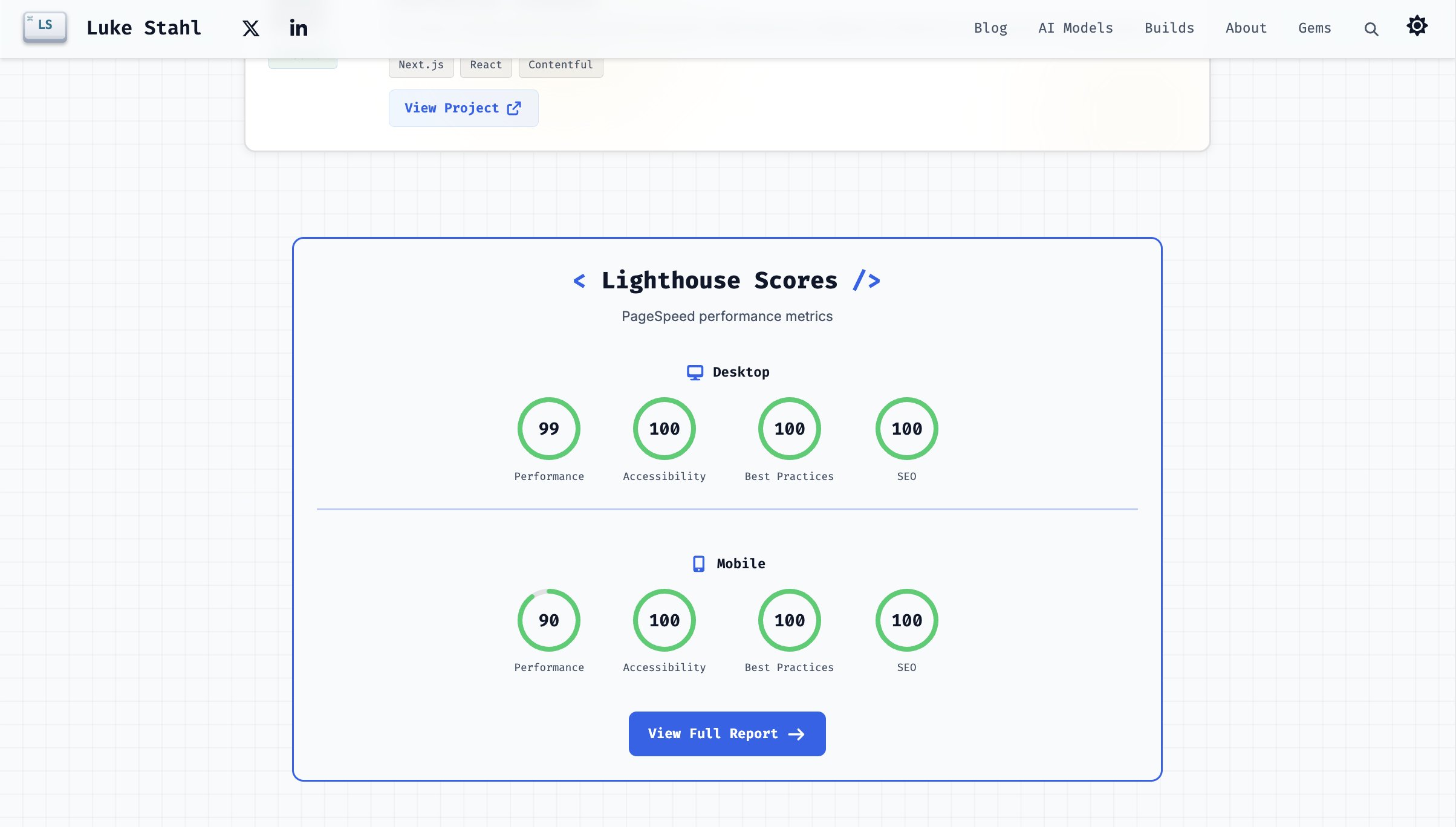
AEO is the other half: making the site readable and useful to AI assistants. Both sites have llms.txt files that explain what each site is for. Lukestahl.io has JSON-LD structured data on every post, an IndexNow integration that notifies Bing and Yandex within minutes of a new page, and a sitemap with canonical URLs and noindex filtering. Shacksbloom.com's llms.txt includes the payment page URL so an AI assistant can hand it to someone asking "how do I pay Jackie?"
LLMs.txt:
Both sites run weekly Ahrefs audits. It surfaces broken links, crawl errors, missing metadata, and issues that don't show up in any build output. It's the tool that keeps SEO health visible on an ongoing basis rather than something you check once at launch and forget.
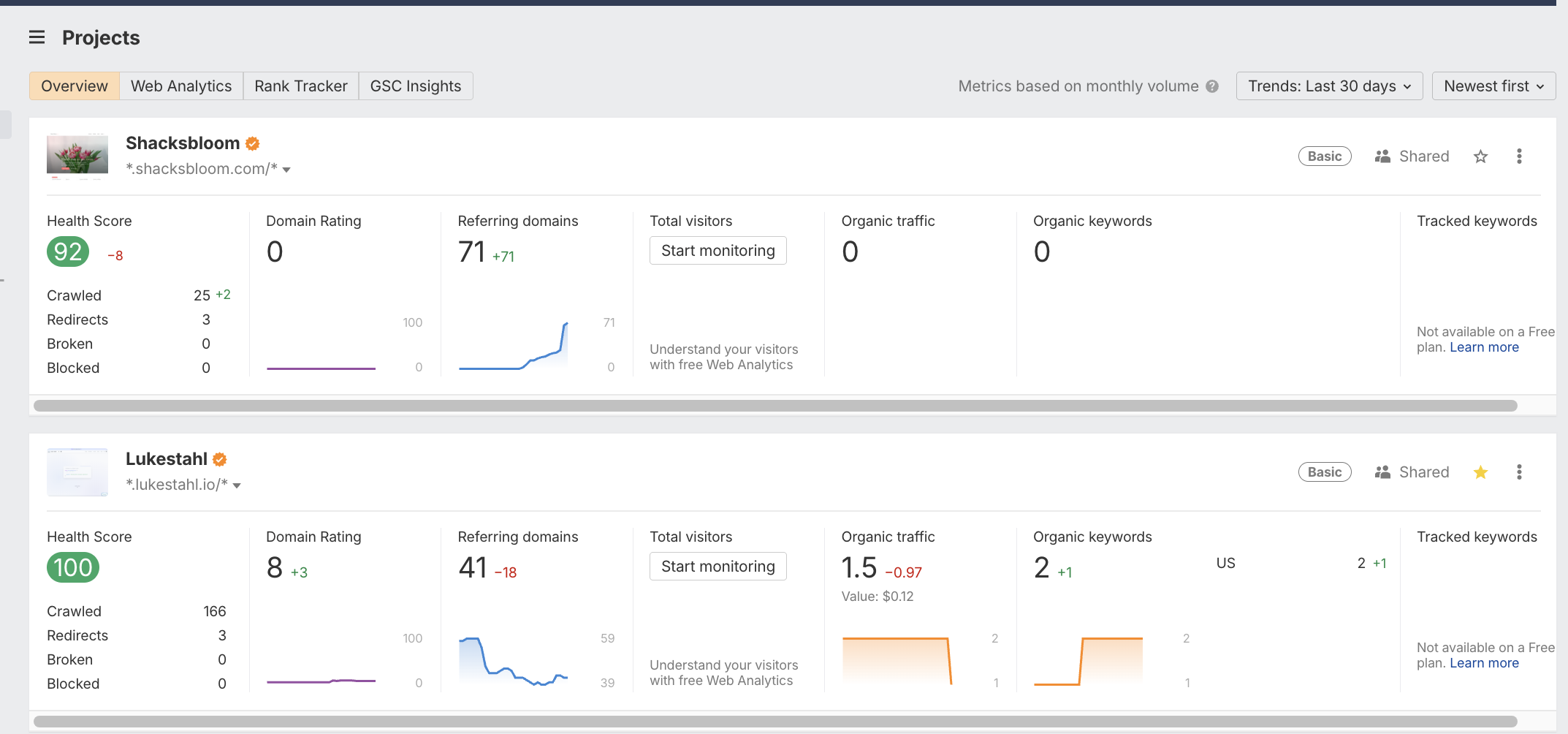
One thing it caught on shacksbloom.com: the homepage was flagged as orphaned three weeks after launch. Same index.html served every route, empty <div id="root">, no internal <a> tags visible to crawlers without JavaScript. The fix was a prerender step that emits a fully-hydrated HTML body per route. Most LLM scrapers and older search crawlers don't execute JavaScript. If your build emits a shell, those crawlers see a blank page.
Payments
Shacksbloom.com has a /pay page. A Venmo deep-link button that opens the app on mobile and falls back to the web on desktop. A Zelle card with copy-to-clipboard for the receiving email. No Stripe, no transaction fees on small deposits.
It's indexed, linked from the footer, and listed in llms.txt. Simple setup, but the discoverability piece matters. If someone asks an AI assistant how to pay for a custom arrangement, the assistant can surface the link.
Shacksbloom.com/instgram pulls a live Instagram feed via Behold.so. The floral work is the product, and Instagram is where the portfolio lives. Behold.so handles the API connection and caching on their end; the site loads a widget script and stays current without a build.
Admin portal
Shacksbloom.com has a custom admin portal built on Neon serverless Postgres with Drizzle ORM, auth via Clerk backed by Google OAuth, and a full quote-to-invoice lifecycle. The entire admin bundle is lazy-loaded so none of its JS ships to public visitors.
Getting Clerk to production with Google OAuth isn't just enabling a toggle. You need a Google Cloud project, OAuth credentials with a client ID and secret, and authorized redirect URIs pointing to Clerk's callback, all wired into Clerk's dashboard. Most tutorials skip that step entirely. Once Google auth clears, there's a second layer: the user's email is checked against an ADMIN_EMAILS env var. The frontend blocks rendering if it fails, and every API call independently re-verifies the Clerk session token and re-checks the allowlist server-side. Two separate enforcement points, not one.
A quote starts as a draft, gets sent to the customer, and converts to an invoice when the job is confirmed. Invoices track payment method and paid date. Refunds are their own invoice type linked back to the original. Every quote and invoice has line items with description, date, notes, and amount. Every invoice can be emailed to the customer as a branded PDF, rendered server-side via @react-pdf/renderer with Jackie's logo, and every send is logged to an email_logs table with the Resend message ID and delivery status. A year view shows total collected, receipt count, and refund count.
This only works because one developer manages both sites. Build vs. buy math changes fast once you add team members or operational complexity. For a personal site or a small business where one developer owns the whole stack, custom-built is often the right call.
Knowledge is key
The jump from a fun vibe-coded site to one that's built to last isn't about the framework or the code quality. It's about knowing what needs to exist. Having an agent to gut-check ideas, bake a plan, and work through the checklist with you gets you there considerably faster. My main advice is to treat your agent as a team member and dive into the laundry list of deliverables needed to go from this looks pretty to this can scale.